
Sandustry Material Density and Settling Order Guide
Density controls how pixel materials rearrange when they can move through the same space. Use documented values such as Sand at 150 and Lava at 200 as a starting point, then test the exact pair in v0.5.6 because reactions, buildings, and constrained geometry can override a simple heavier-below rule.
On this page
Use density as a movement model, not a full recipe
Sandustry simulates materials as pixels with different matter types and properties. Density helps determine which material tends to settle below another when both can move through a shared space. A larger documented value can therefore change the vertical order of a mixture, but the result still depends on whether the materials are solids, liquids, gases, or terrain and whether either material reacts on contact.
A density comparison is not a production recipe. Sand and Water, for example, react to form Wet Sand instead of remaining as two clean layers. A building may also attract, consume, block, or vent a material before gravity can establish an order. Write the expected reaction first, then use density to predict movement among materials that remain.
Anchor calculations to confirmed current values
The official Sand page lists Sand density as 150 and documents the reaction of one Sand pixel plus one Water pixel producing two Wet Sand pixels. Update #3 raises Lava density to 200. These values are useful anchors for testing, especially when an older v0.5.5 separator changes after installing v0.5.6.
Do not fill missing cells in a density table from appearance or real-world intuition. A game material may be tuned for factory design rather than physical realism, and a patch can rebalance it. Open the current official material page or inspect a controlled in-game sample before publishing an exact number.
- Sand: density 150 on the official Sand page.
- Lava: density 200 in the v0.5.6 announcement.
- One Sand plus one Water produces two Wet Sand.
- Unlisted values require a current source or a labeled test.
Build a two-material density test chamber
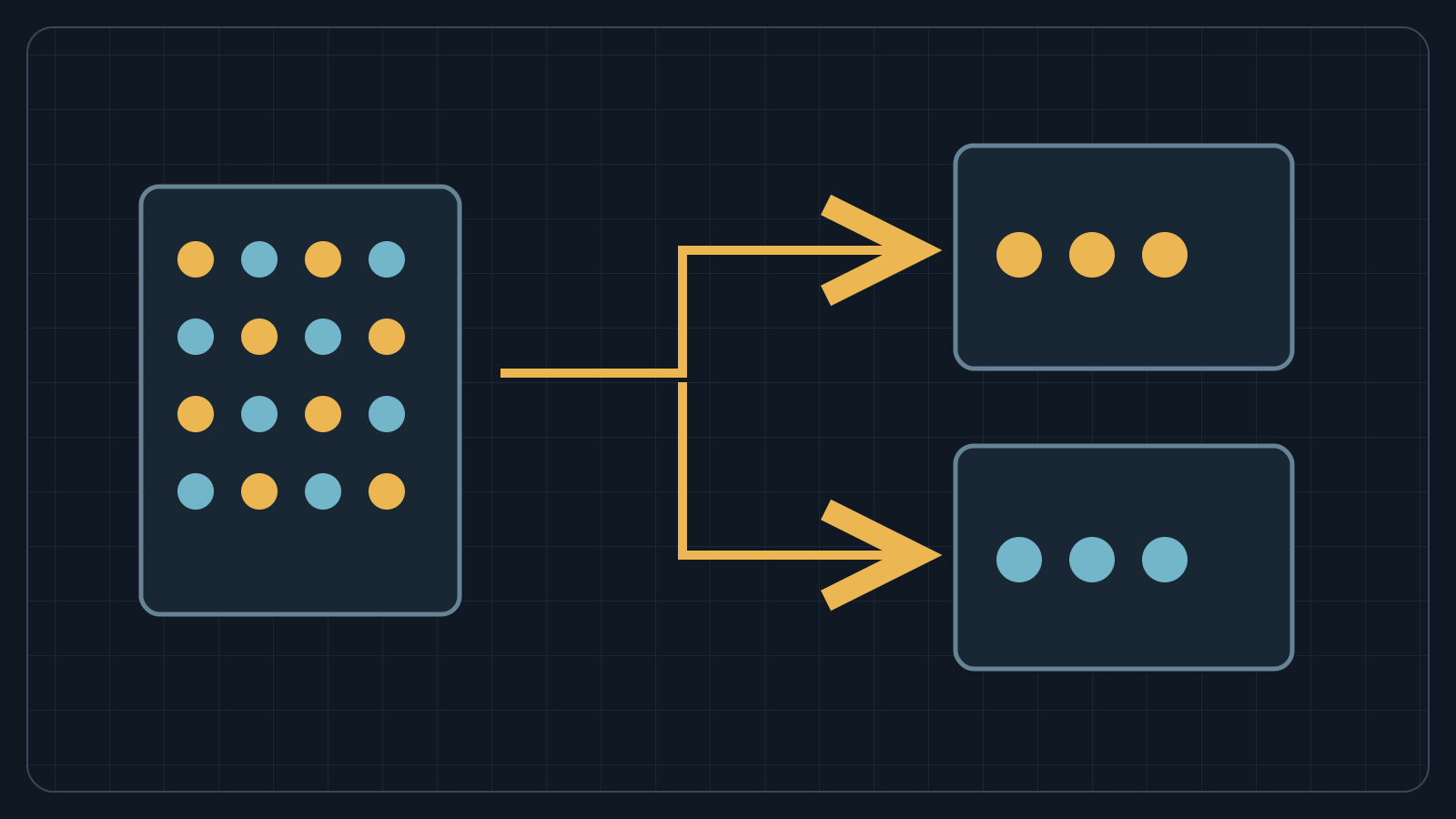
Use a narrow transparent chamber with a controlled entry for each material, enough height to separate, and a safe drain or collection area. Add equal small samples rather than connecting the production line immediately. Observe initial contact, the final vertical order, and any new material created during the test.
Repeat the sample after clearing the chamber. Reverse the input order to see whether the result is stable or trapped by geometry. Then save and reload once. A separator that works only with one loading order or only before a reload needs a buffer and monitoring before it can be trusted in continuous production.
Separate density effects from state changes
Heat, cold, wetting, burning, melting, and drying can turn one material into another. When that happens, the output follows its own properties. Update #3 makes Lasers melt Ice and changes cold Thermal Buffer interaction with Lava, so a route can generate Water or returned Cinder where an older diagram expected the original input to disappear.
Label every state-changing boundary on the factory sketch. Provide space for both the desired output and any documented byproduct. If a mixture sorts correctly at first and later jams, inspect whether a small amount reacted inside a Filter, Pipe intake, or output pocket rather than blaming density alone.
Combine passive settling with explicit machines
A Filter allows or blocks one selected solid while liquids and gases pass through. That behavior can reinforce a density separator, but the material must reach the relevant side of the Filter. A wet reaction inside the structure can occupy space and make the configured material appear blocked. Keep the reaction boundary upstream when possible.
Pumps, Pipes, and Liquid Vents move liquids on a separate network with their own capacity and placement rules. They are often safer than forcing several fluids through a gravity chamber. Use passive density where it simplifies a stable pair, and use a documented machine where the route needs predictable direction or separation.
Audit pre-v0.5.6 Lava separators
Pause Lava input before opening an older separator. Identify every boundary made from Fluxite, Redsoil, or Strataform because Lava now destroys those materials. Check the lower pocket and every shared junction after the density increase to 200. A system may fail even when the outer wall survives if the new settling order feeds Lava into an internal contact point.
Rebuild a small test cell with verified containment, then introduce a limited amount of Lava. If a negative Thermal Buffer is involved, collect returned Cinder and measure temperature over time. Only reconnect the full source after the cell reaches a repeatable state without erosion or accumulation.
Measure whether settling keeps up with throughput
A correct final order does not guarantee a useful separator rate. Record how much mixed input enters, how much clean output leaves each branch, and how much inventory remains in the chamber over the same interval. Rising internal inventory means the chamber is a bottleneck even if every visible pixel eventually reaches the right layer.
Increase supply in small steps. Leave overflow space and a shutoff point before the chamber. If one input arrives in bursts, size the buffer for the largest observed burst rather than the average. Density separators are easiest to maintain when the operator can isolate, drain, and reload them without dismantling the surrounding factory.
Document a density result so it survives updates
Record the game version, active mods, exact materials, sample size, chamber shape, input order, final order, reactions, and observation time. State whether a number came from an official page or from a community test. A screenshot should show the full chamber and labels, not only the final layers.
Retest after a patch mentions density, material physics, filters, fluids, or performance. Keep the old result with its version instead of silently replacing it; that history explains why a working factory changed. Publish exact values only when the source is clear and current.
Field facts
| Sand density | 150 |
|---|---|
| Lava density | 200 in v0.5.6 |
| Sand wetting ratio | 1 Sand + 1 Water → 2 Wet Sand |
| Primary test | Two-material chamber, repeated in both input orders |
Troubleshooting
- A separator changed after v0.5.6.
Retest any Lava pair because its density increased to 200, and inspect boundaries made from the three terrain types Lava now destroys.
- Correct materials stop inside a Filter.
Clear the chamber and check for a contact reaction or occupied cell before changing the selected allow or block rule.
- Layers form but production backs up.
Measure chamber inventory over time; increase separation area or reduce input if inventory rises continuously.
Frequently asked questions
What is Lava density in Sandustry v0.5.6?
The official Update #3 announcement states that Lava density increased to 200.
What is Sand density in Sandustry?
The official Sand page lists density 150.
Does higher density guarantee a clean separator?
No. Matter type, contact reactions, buildings, flow rate, and geometry can change or block the expected settling order.
How should I test two materials?
Use equal small samples in a clear chamber, reverse the input order, repeat after clearing, and record the version and any reactions.
Sources
Official references used for this field guide.